

Simple, reliable help with everyday medication
Big text, clear buttons, and plain language throughout — built to be easy for everyone, including older users.

Dose reminders
Alarms that keep ringing until you respond, so a dose is never quietly missed.
- Exact-time alarms
- One tap to mark Taken or Skip
- Clear history of every dose

Prescriptions & profiles
Keep prescriptions ("resetas") and profiles for everyone you care for, all in one place.
- Multiple profiles
- Attach photos of meds & scripts
- Doctor-visit PDF summary

Vitals & reports
Track blood pressure, glucose and weight, and see how well doses are kept over time.
- Simple trend charts
- Refill reminders
- Adherence reports
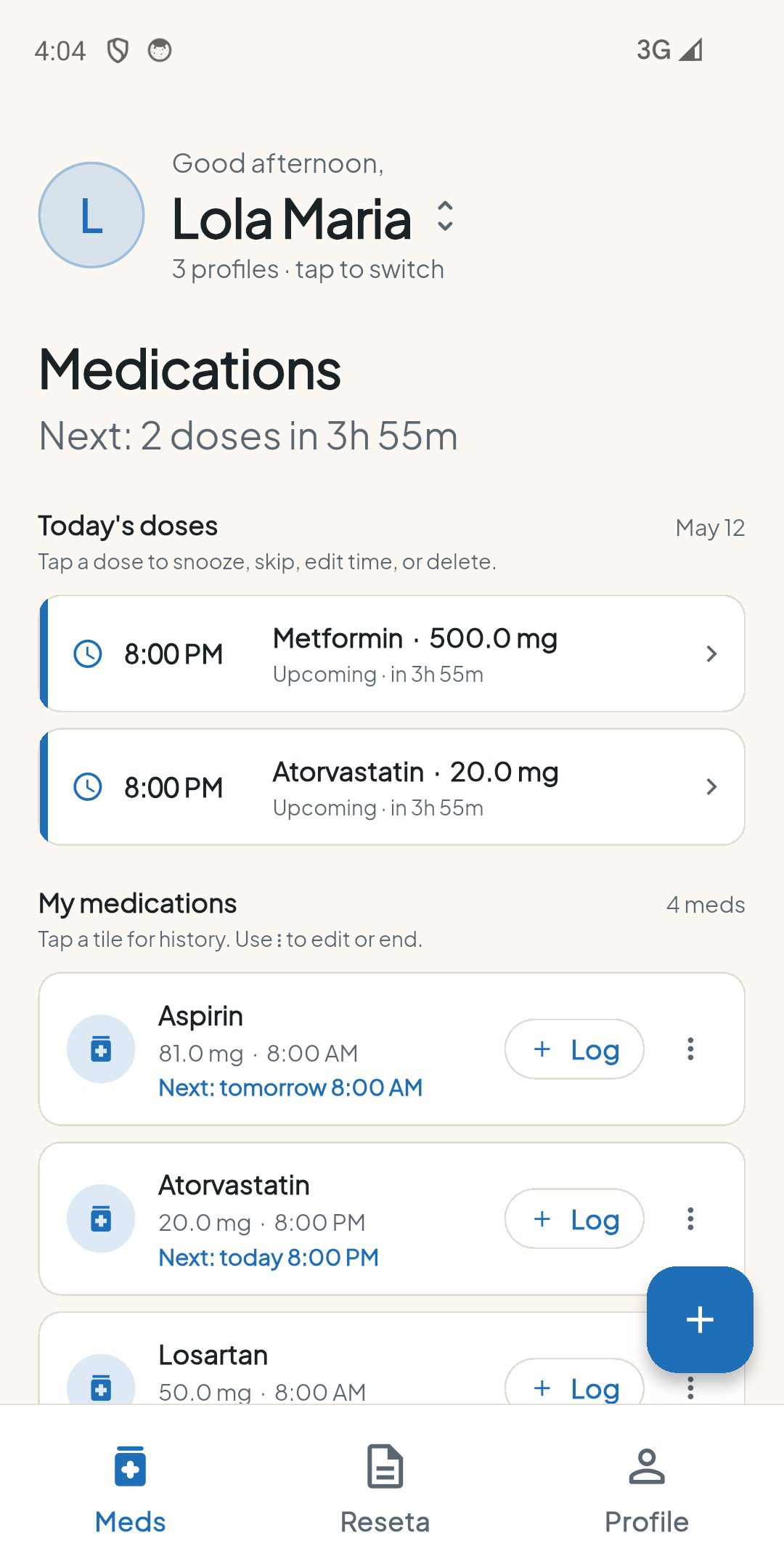
Everything important, on one calm screen
- See the next dose and how long until it's due.
- Switch between the people you care for in one tap.
- Log a dose right from the home screen.
- No account to create — open the app and start.
How Remi uses Google Drive
Remi works fully offline and never requires an account. If you choose to turn on cloud backup (an optional premium feature), Remi can save a copy of your data to your own Google Drive so you can restore it on a new phone. Signing in with Google is the only time Remi connects to a Google service, and it is always your choice.
A private, app-specific folder in your Google Drive — the Drive App Data folder.
Requested scope: https://www.googleapis.com/auth/drive.appdata
Your data stays with you
Remi has no user accounts, no advertising trackers, and no third-party analytics in the data you enter. Everything you record lives on your device, and the only thing that ever leaves is a backup you choose to send to your own Google Drive.